
Requests are one of the most important aspects of the Evident product to understand. The most basic way to describe a request is as verification or group of verifications. All services/verifications must be run as a part of a request.
On the screenshot below, the black box is outlining a single request on the Dashboard. 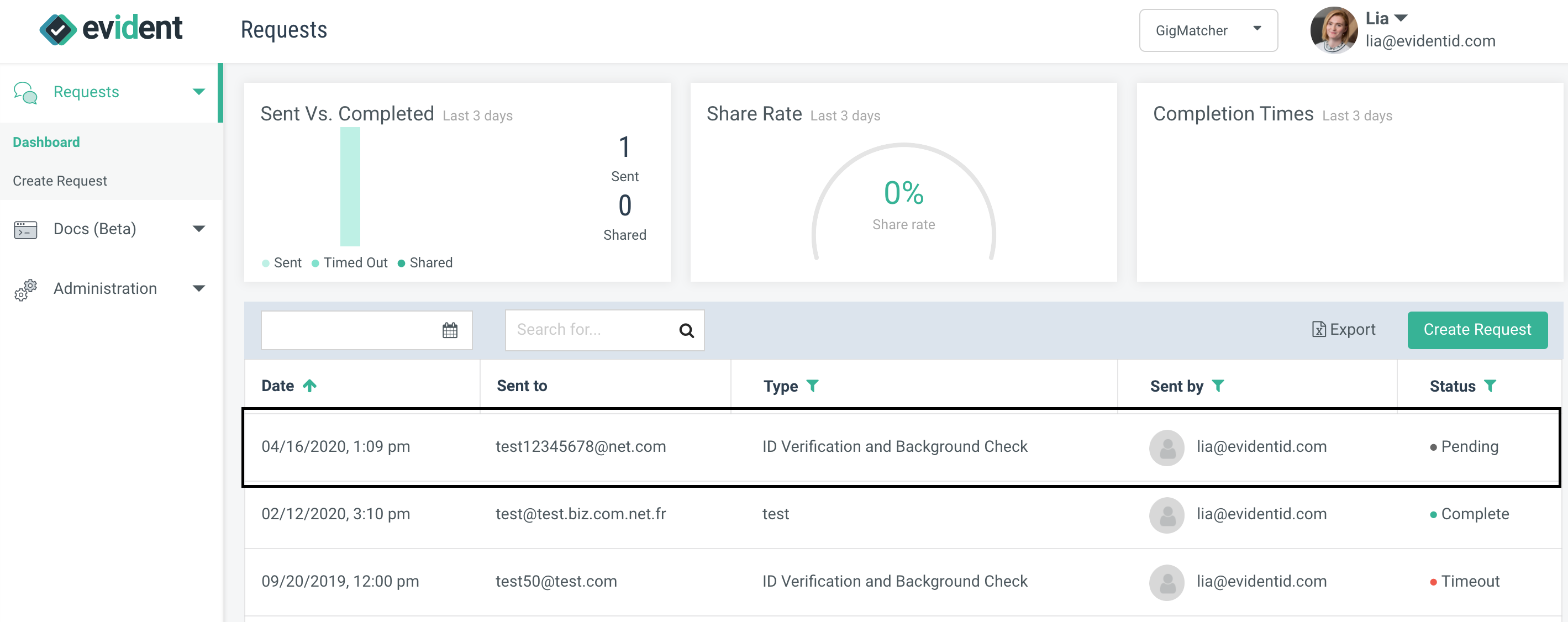
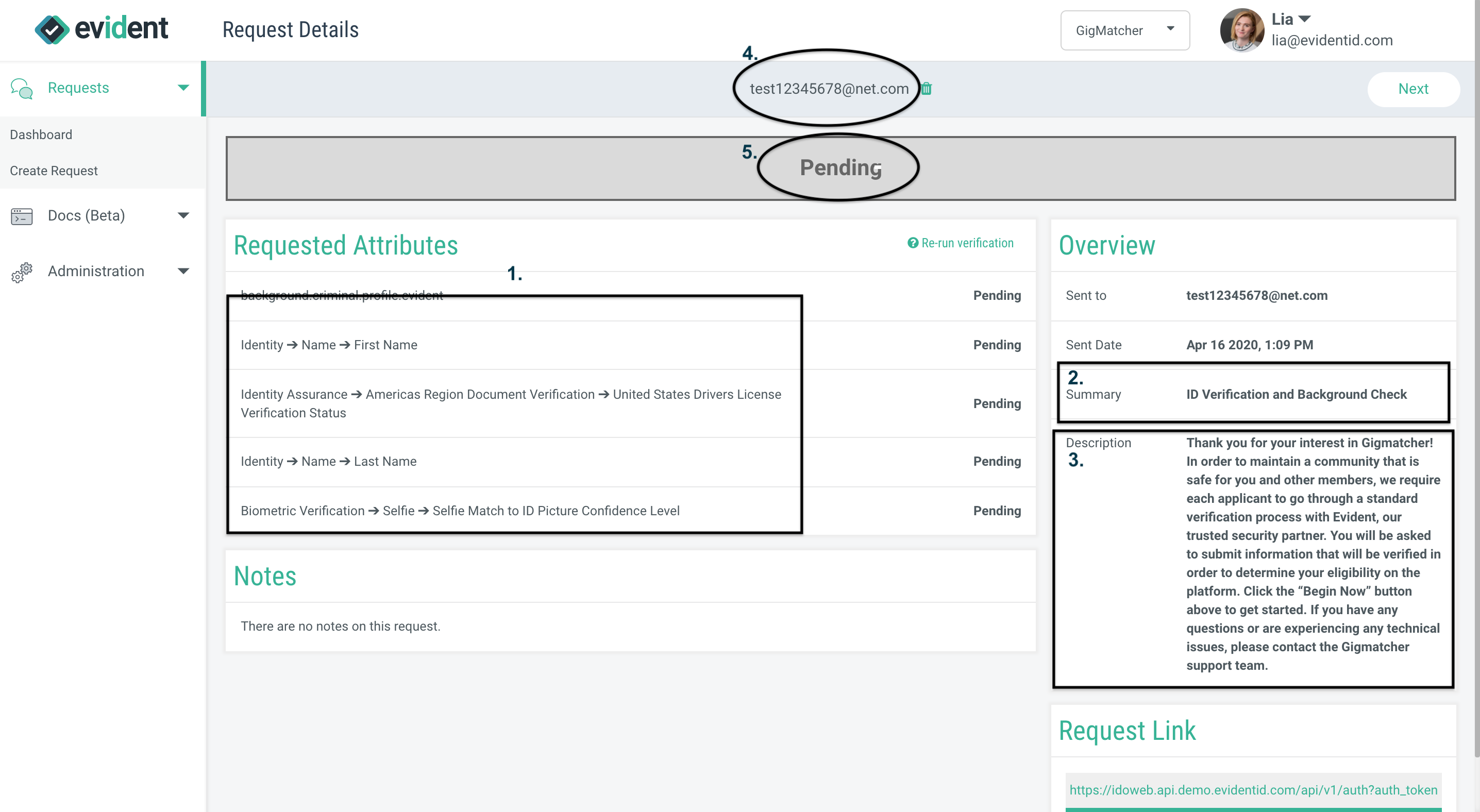
All requests are made up of a five (5) basic components. These five parts are like the building blocks of a request. When you click into the request, you will be taken to the "Request Details" page, where you can see these five (5) basic parts of the request. The parts are:
- The services and/or information being requested.
- The "Summary" of the request, which shows up as the Subject line of the email that goes out to the user.
- The "Description," which shows up in the body of any email that gets sent out to the user
- The email address to whom the request is sent.
- The status of the request.
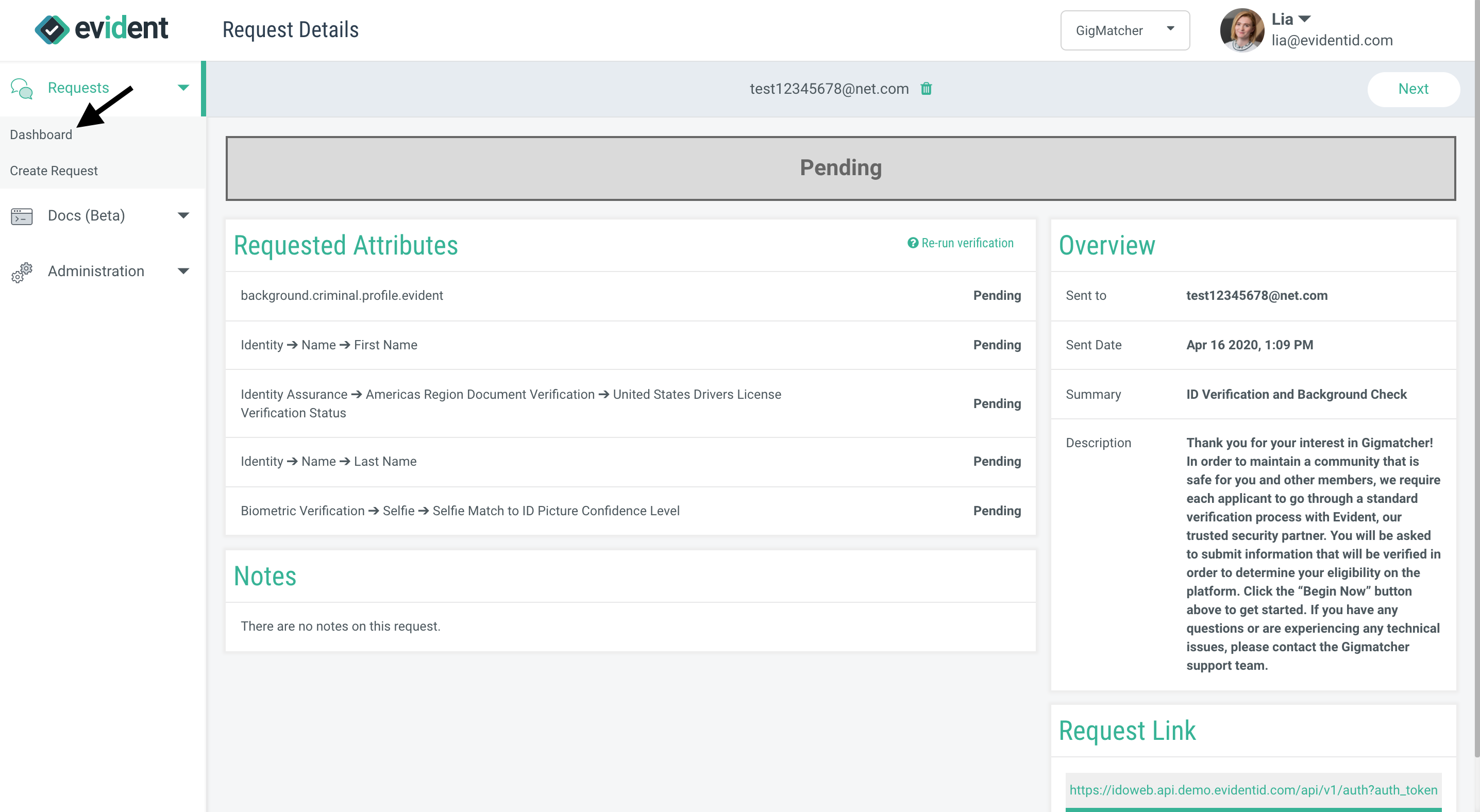
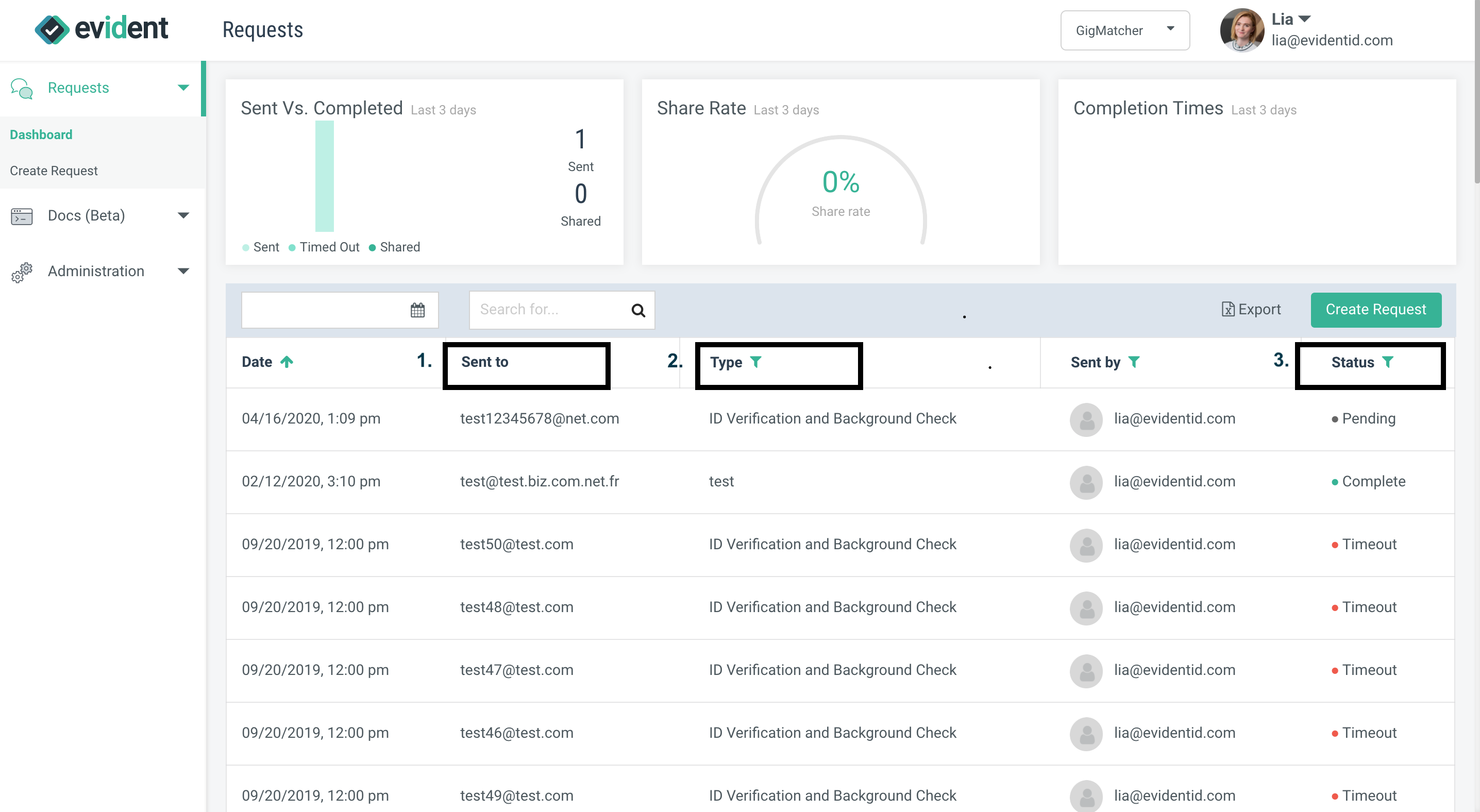
If you go back to the Dashboard (by clicking on the word Dashboard in the left panel on the side of the screen) you will also see that three (3) of the five (5) basic components of requests also show up in the Dashboard, and two are available for filtering.
- The email address to whom the request is sent shows up under the "Sent To" column.
- The Summary shows up under the "Type" column (you can use this to filter Dashboard results).
- The Status shows up under the "Status" column (you can use this to filter Dashboard results).
To understand more about the Dashboard, check out this article.