
Note: If you have never created a policy before, first read this article. If you do not know what a policy is, read this article.
Why does Identity Assurance matter?
Pairing an identity assurance service with the background check increases the confidence that the the results of the background check reflect the criminal history of a verified identity. When an identity is not verified, user error or bad actors deliberately trying to obscure their own criminal records can cause an inconsistency between the data Evident receives for the background check and the data associated with the individual.
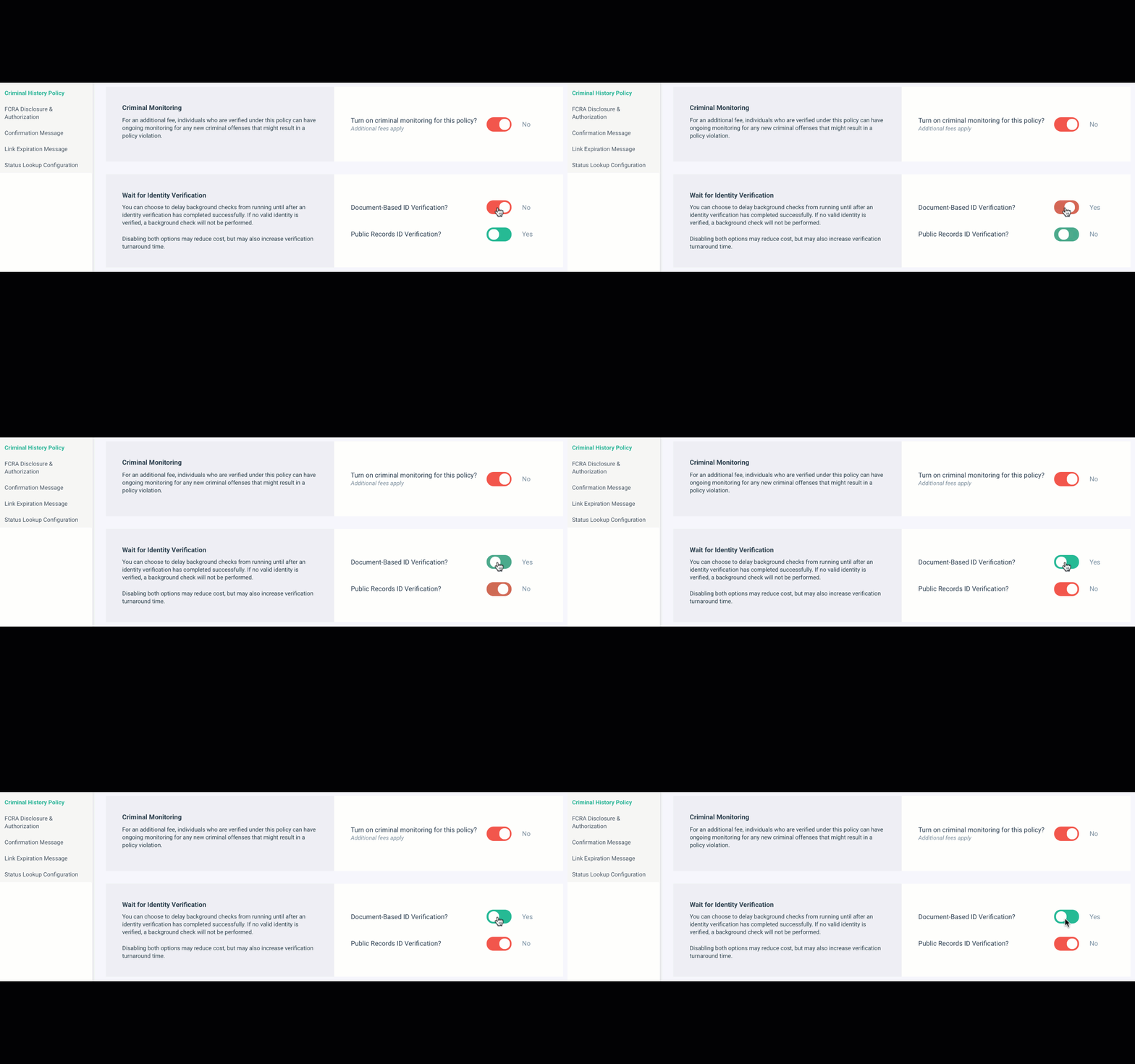
The Wait for Identity Verification toggle allows you to pair a background check with a form of identity assurance, which minimizes this inconsistency and provides results that are synergistically reliable - meaning that the combined verifications are more powerful than either verification on its own. Because of this increase in confidence and security, as a best practice Evident always recommends that this option is toggled to "Yes," which is the default.

Heads up! Before leaving this option on, you need to make sure you have identity verification on your account and that you read the note at the bottom of this article about how this service is charged.
What happens if I turn this option off? If this option is not turned to "Yes," the user will be prompted to type in their information manually. 
Wait for Identity Verification Options
The two options for identity assurance are:
-
- Identity Verification
- Public Records Check
What if I want to run both Public Records Check and Identity Document Verification? A background check can only be dependent on one identity assurance service at a time, so both may not be enabled. If you already have one service enabled, and you attempt to enable the other, the Evident platform with automatically toggle the initial service to off.
Where does the Identity Verification or Public Records check come from?
In order to have a valid identity verification, Evident must be performing Identity Verification as a service for you. Therefore, you must also be leveraging Evident's Identity Verification or Public Records check service in order for this option to be turned on and for the background check to be functional.
If you are not currently using an identity verification and you leave this option on, the background check will not run because there is no valid identity verification.
How can I know if I have Identity Verification and/or Public Records Check? Since requests should almost always be run with templates, you can check to see if identity verification is included in your templates. Alternatively, if your business leverages an integration, the identity verification may be included in the API call used to create the background check (or a former API call). If you have read about templates and are still uncertain if you have Identity Verification and/or Public Records check, reach out to the Evident Support team and they can answer this question for you.
How do I add Identity Verification and/or Public Records Check as a service? You can reach out to the Evident Support team to get set up with Identity Verification or Public Records Check for the first time by selecting the "Add a new service" drop down from the menu.

Important Note:
How is this service charged? This service is not included in the cost of the background check. If you have a contract that specifies that you qualify for volume discounts for certain products, and you have not negotiated a price for this service, you will be charged at our standard list price.