
-
Make a POST to VerifyAPI to issue a new request in Evident.
- For reference on using VerifyAPI, please refer to the API documentation.
- For reference on using VerifyAPI, please refer to the API documentation.
-
From the VerifyAPI response body, obtain the “userIdentityToken” value.
- For reference, the response body should look similar to this:
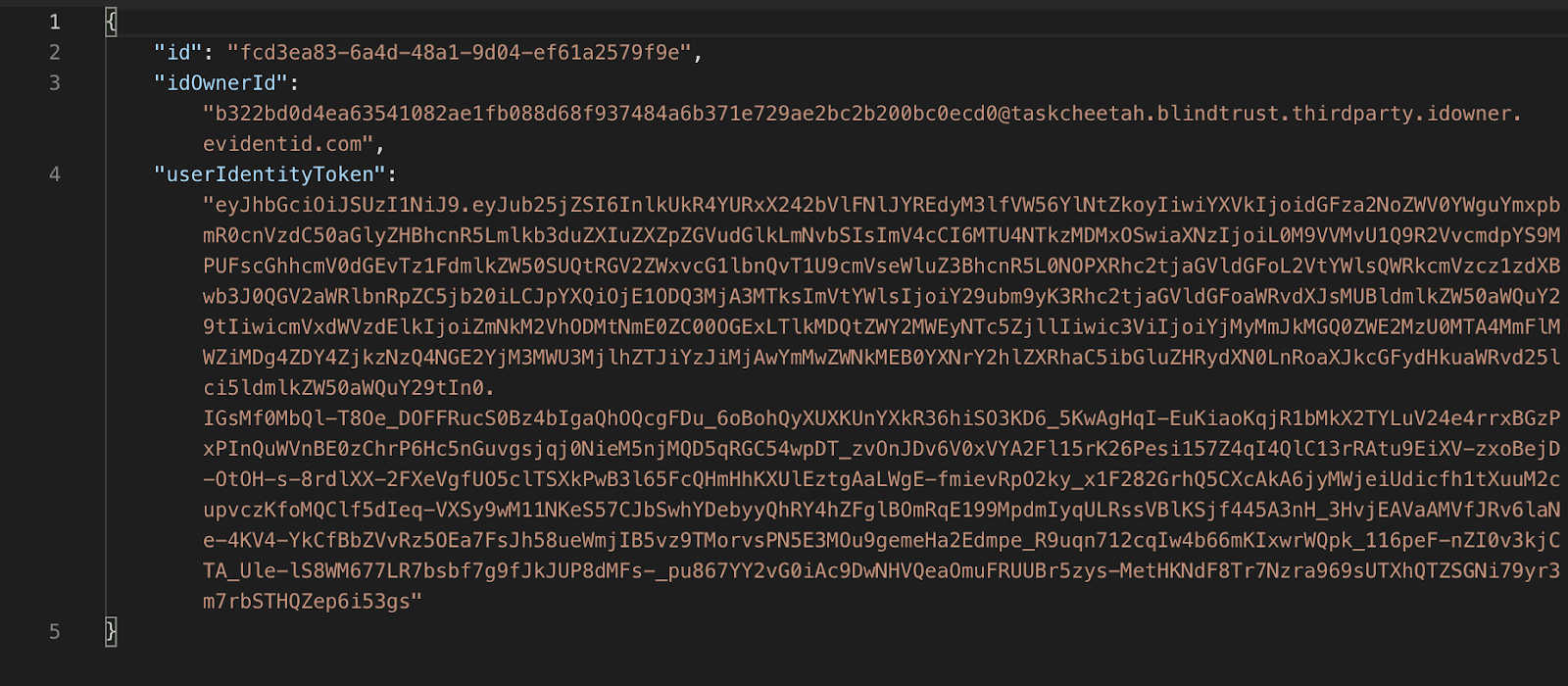
- For reference, the response body should look similar to this:
-
Choose the appropriate base IDOWeb URL based on the environment
-
Add “userIdentityToken” as query parameter “auth_token” to the end of the request
- For PROD: https://idoweb.api.evidentid.com/api/v1/auth?auth_token={userIdentityToken}
- For DEMO: https://idoweb.api.demo.evidentid.com/api/v1/auth?auth_token={userIdentityToken}
-
Use IDOWeb link as desired
- The link is now well-formed and can be used for direct consumption or browser redirection.
- To test, copy-paste the link into a browser. The result will be an IDOWeb page prompting for the required attributes to fulfill the request.
Quickstart Guide: Creating an IDOWeb link from VerifyAPI
Was this article helpful?