
Note: If you have never created a policy before, first read this article. If you do not know what a policy is, read this article.
If you are running background checks and don't know what Preadverse and Adverse Action are, you can read this summary from the Federal Trade Commission. As the FTC states, "When you use consumer reports to make employment decisions like hiring, promotion, reassignment, and retention, the Fair Credit Reporting Act requires you to take important compliance steps."
In addition, a copy of the act itself along with a more granular summary is available here. The FTC also states:
"The Act (Title VI of the Consumer Credit Protection Act) protects information collected by consumer reporting agencies such as credit bureaus, medical information companies and tenant screening services. Information in a consumer report cannot be provided to anyone who does not have a purpose specified in the Act. Companies that provide information to consumer reporting agencies also have specific legal obligations, including the duty to investigate disputed information. In addition, users of the information for credit, insurance, or employment purposes must notify the consumer when an adverse action is taken on the basis of such reports. The Fair and Accurate Credit Transactions Act added many provisions to this Act primarily relating to record accuracy and identity theft. The Dodd-Frank Act transferred to the Consumer Financial Protection Bureau most of the rulemaking responsibilities added to this Act by the Fair and Accurate Credit Transactions Act and the Credit CARD Act, but the Commission retains all its enforcement authority."
Evident's platform provides a tool to help make compliance associated with background checks easier to manage. PreAdverse and Adverse action notifications sent from the Evident product can be customized in terms of both branding and text using the Evident product. To learn about how to update your branding, you can watch this video or read this article.
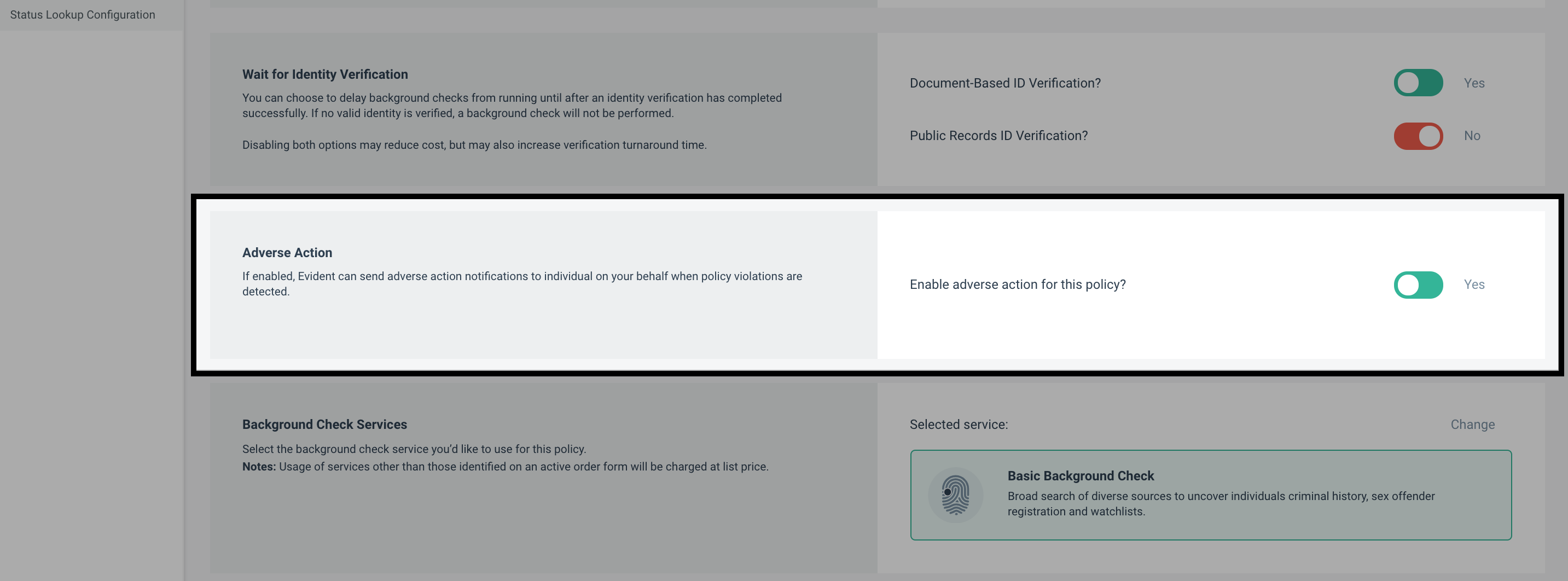
All of Evident's background checks have the option to send out Preadverse & Adverse Action email notifications. When this option is toggled to "Yes" Evident will automatically trigger Preadverse and Adverse email notifications based on certain triggers or countdowns within the Evident product.
Preadverse and Adverse Action Notifications
How does Preadverse Action notification work? When a policy violation is found, Evident's platform triggers the initial Preadverse notification to be sent. The notification lets the user know that they have seven (7) business days to reach out to Evident in order to dispute the results of the background check. This seven (7) business day window is called the "Dispute window" and excludes weekends and federal holidays.
What does the Dispute window designate? The Dispute window outlines the time that the user has available to Dispute the results of the background check and have their record cleared prior to Evident returning the results. In other words, the Dispute window gives the user the opportunity to intercept the results of the background check and have their record cleared before you receive them. After the seven (7) day window, the background check will complete, and Evident will provide the results of the background check over to you. You will receive the original results of the background check (the results that triggered the Preadverse Action notification) if:
- the record is not cleared
- the dispute is not finished being processed
- the user doesn't reach out at all
During the Dispute window, the Evident platform will show that the verification request is in a "Pre Adverse Action" status, and the results of the background check will still be "Pending."

What happens if the user does reach out to Dispute the record? If the user reaches out to Evident to Dispute the record, Evident will process the dispute within 30 days. If it is determined that the record does not definitively belong to the user, Evident will clear the record.
What happens if the record is cleared? If this is the only policy violation for the user and the outcome of the Dispute process is that the record will be cleared, the background check will return to searching for policy violations until either the background check completes or another policy violation is found. If another policy violation is found, the Preadverse action window opens again and the process is repeated. If the record is cleared prior to the seven (7) day Preadverse action window closing and there are no other policy violations found (or if all subsequent policy violations are also cleared within the seven (7) day window) then the Evident platform will update the verification with a status of Complete, and the results of the background check will show "Clear."
What happens if the user doesn't Dispute or if the record is not cleared? If the outcome of the dispute process is to leave the record untouched, then no additional action beyond processing the dispute will occur. If the record has not been cleared and the Preadverse action window closes, the Evident platform will update the verification with a status of Complete and the background check results as "Policy Violation Found." At this time, the Adverse Action notification will be sent to the user alerting them to your business's decision to reject them from your platform.
What if someone reaches out after the Dispute window has closed? If someone reaches out after the dispute window has closed, Evident will still process the dispute. There may be scenarios where the result of this dispute is to clear the record. When a record is cleared that affects the results of a background check that you already received, you will be updated via the email address that you provide to Evident for Dispute notifications during the onboarding process.
How is this service charged? This service is included in the cost of the background check and you are not charged separately. In that sense, the service is free.
Once you turn on Preadverse and Adverse Action, there are a few key items that need to be configured. Please review the articles below to understand the key components
- Pre-Adverse and Adverse Action Email Configuration
- Configuring Macros for Pre-Adverse Action and Adverse Action notices