
Returning an applicant's verification results as quickly as possible isn’t just a time relief for the individual, it also eases their registration and onboarding process, which increases conversion rates and decreases support costs. Evident’s status lookup feature gives applicants the opportunity to monitor and track the progress of their verification in real time, without requiring additional support from your team or the Evident team. Applicants not only stay informed of what to expect next, but will also, through an optional configuration, have a smoother workflow and more efficient transition between Evident and your platform.
Applicants can independently check the status of their verifications at any time by returning to the link they received to submit their information.
Here are a few example scenarios of how applicants may experience this feature:
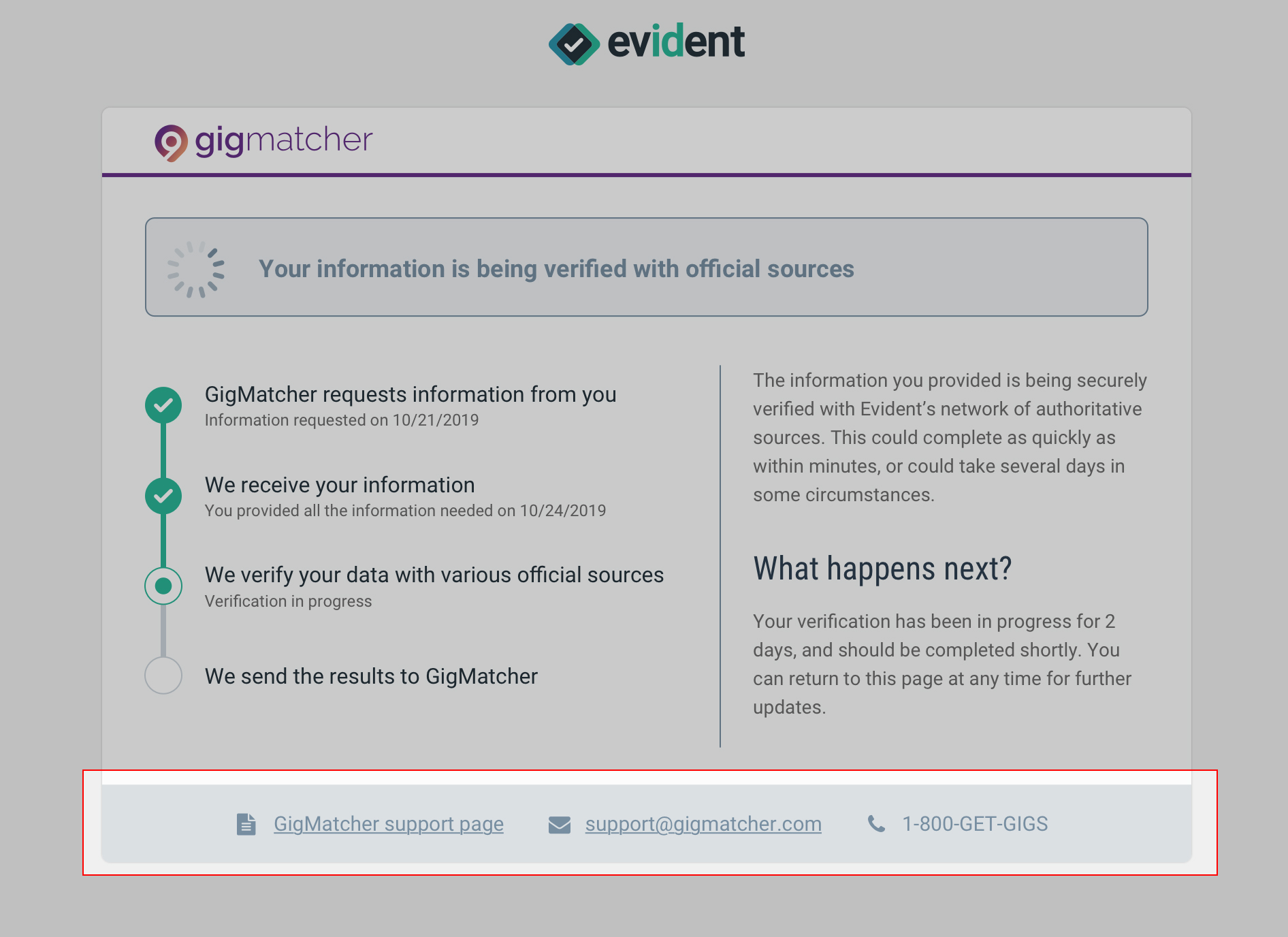
- An applicant has been eagerly waiting for two days for confirmation that their verification has been completed successfully in order to finalize the onboarding process. The delay, while still within the normal range of time for some verification types, feels long to the applicant, so they check in on their status. They see that their verification is still in process, and are reassured that this is typical when it comes to verifying information with multiple localized jurisdictions.
- An applicant has registered for your platform, and had every intention of providing the information that was requested, but forgot to complete the submission. They return to the link later, to attempt to pick back up where they left off, only to discover that the request link has expired. However, the applicant is reassured to see that this scenario isn’t unique, and finds clear instructions from your team describing how to request a new link, including a direct call to action to get the process started.
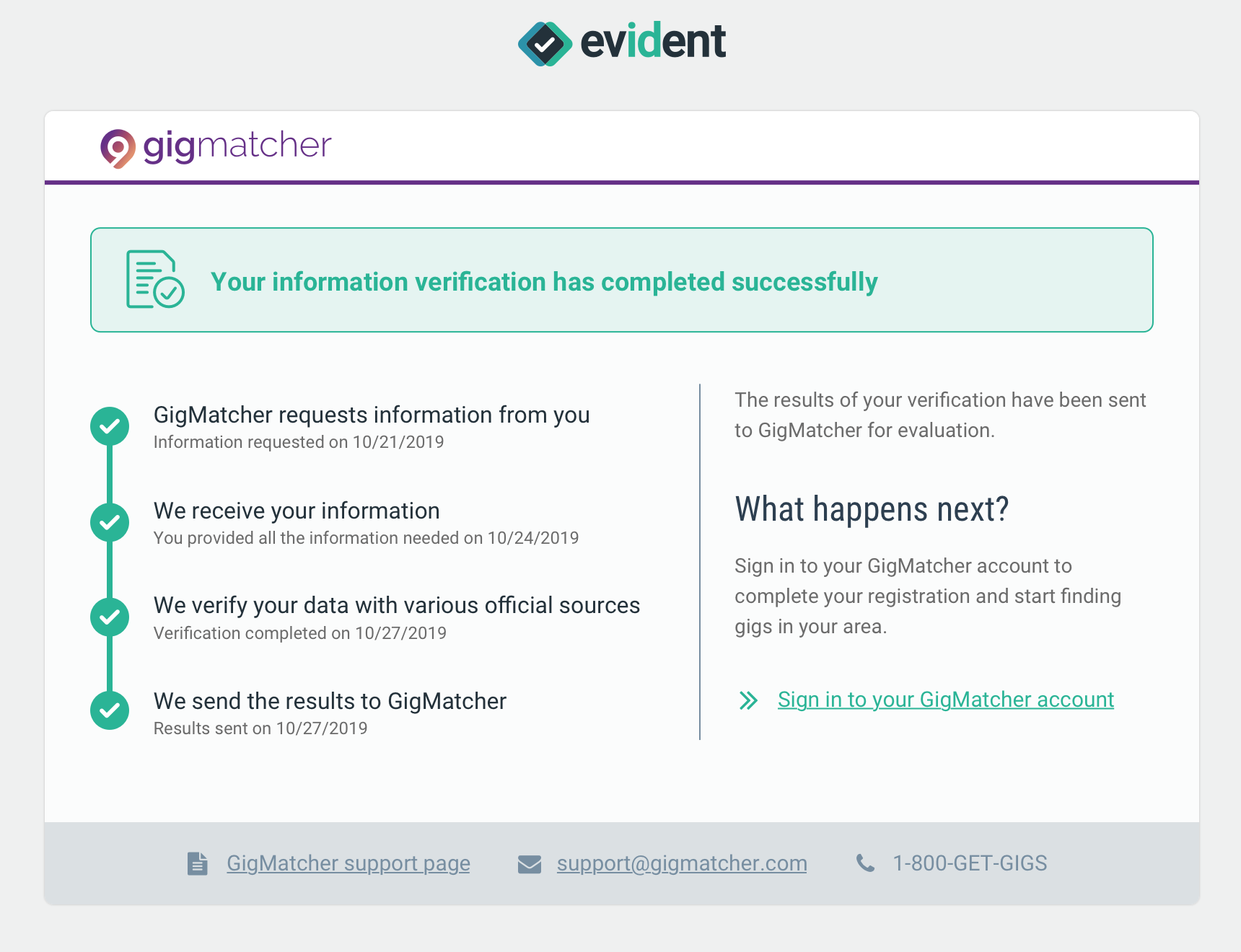
The applicant status lookup page contains a few key pieces of information:
- An overview of the status, and what it means. In the above example, the information the applicant submitted has been successfully verified.
- A timeline of important events that give applicants perspective on what is happening behind the scenes, and an understanding of when these events took place. In the above example, the applicant can see timestamped details of when their request was initially generated, when their information was submitted, when the verification was completed, and when the results were made available.
- [Configurable] A short paragraph of text that describes what the applicant should expect next, including an optional link.
- [Configurable] Information about support channels that the applicant can use if they run into further issues.
Configuring Status Lookup for Applicants
Within the Evident portal, under the Administration tab, click on “Status Lookup Configuration”. There are two key components for configuring the status lookup pages for your applicants:
- Support Channel Information
- Workflow Management
The main difference to be aware of is that the support channel configurations are universal. In other words, they will display on all status lookup pages regardless of status. The Workflow Management - or “next step messages” - configurations are status-specific, and will change depending on the status of an applicant’s verification.
Configuring Support Channel Information
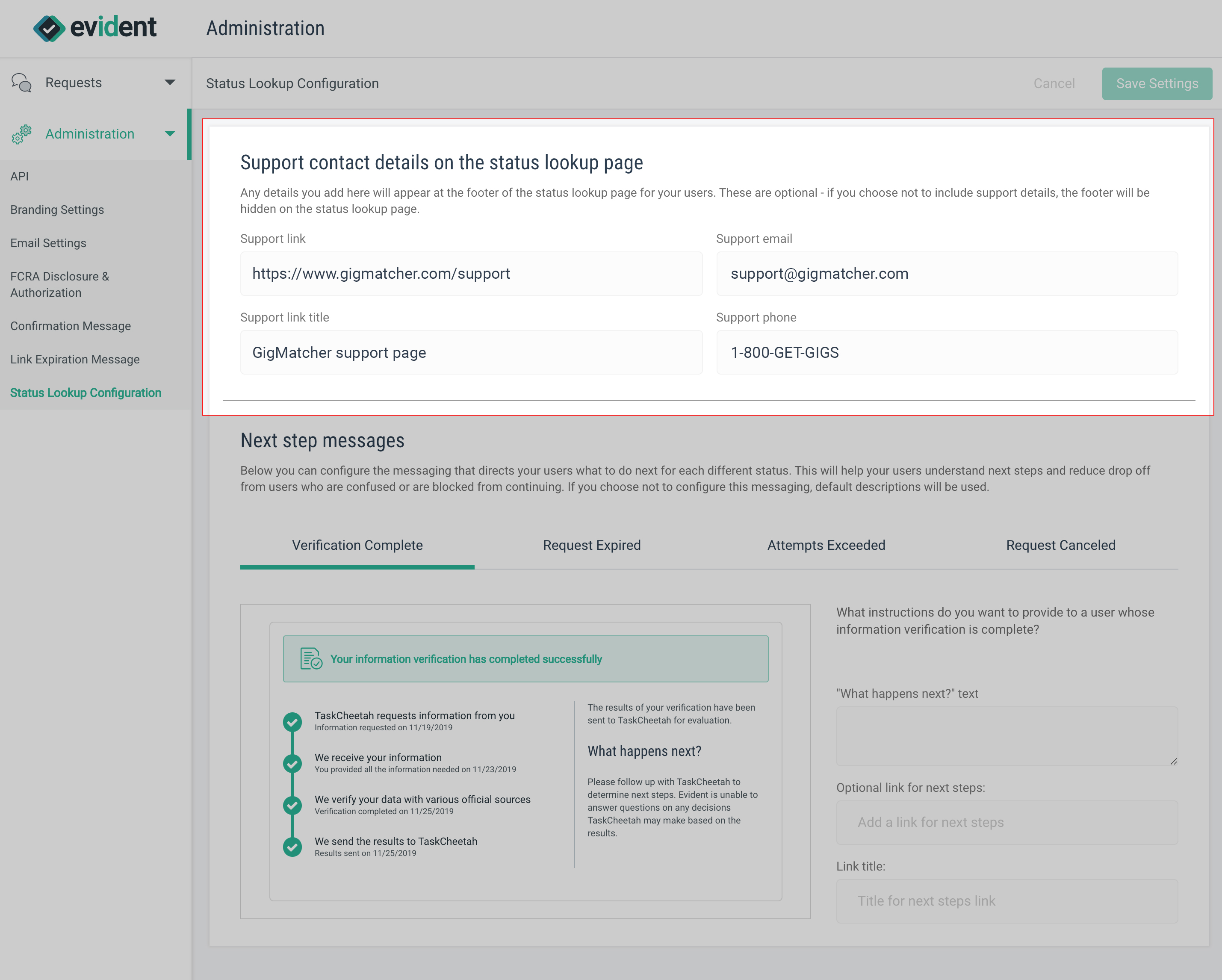
You can add a support URL (with a custom title), a support email address, and a support phone number in the Support Channel configuration. All of these are optional configurations, so you can add any combination of channels. Any configurations you make here will display in the footer of your applicants’ status lookup pages. If you choose not to include any support channels here, the footer will be hidden from applicants.
Configuring Applicant Status Lookup for Workflow Management
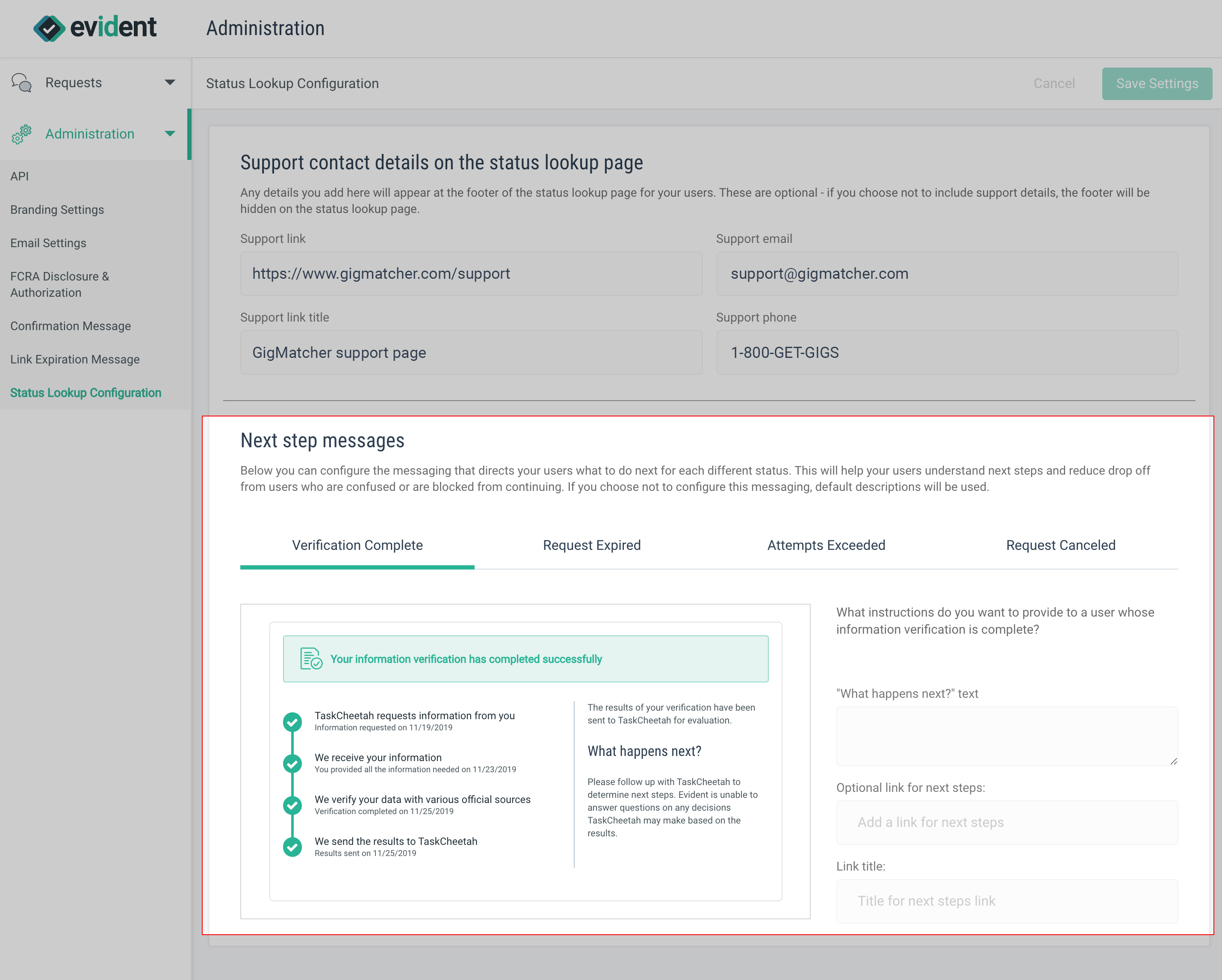
The messages that applicants see in the status lookup page are configurable on a per-status basis. This gives your team control over managing workflows not only for successful verifications, but also for drop-offs and re-engagements too. Configuring these status messages can help you determine how applicants are re-engaging with your company, and can also help you direct applicants through your own processes. Within the configuration panel, you’ll see a live preview of what your applicants will see.
Workflow-specific messaging can be configured for the following statuses:
- Verification Complete: The applicant has submitted their information, and it has been verified by authoritative sources.
- Request Expired: The applicant has not responded to the verification request in time, and the request link has expired.
- Attempts Exceeded: The applicant has made a maximum of two failed attempts to submit their information (usually an identity document).
- Request Canceled: The applicant has already submitted their information, but the verification was manually terminated upon your request.
Note that verifications that are in process will use standardized messaging, and will let applicants know when an incomplete verification has aged beyond an expected timeframe.
While all of the above configurations can be fully customized with instructions and a call-to-action link, you can also opt to not customize anything, and use the default messaging instead.